Overview
This software simulation helps school staff practise recording behaviour incidents in Arbor without affecting live student records. Learners receive guided feedback and contextual support throughout the behaviour logging process, helping improve accuracy, consistency, and confidence.
Audience: Teaching staff, Pastoral Staff and school staff responsible for recording behaviour incidents.
Responsibilities: Instructional Design, Software Simulation Design, eLearning Development, Quality Assurance
Tools Used: Articulate Storyline 360, Microsoft PowerPoint, ChatGPT, Arbor MIS
The Problem
Accurate behaviour logging is essential for safeguarding, communication, and behaviour management. Following our school's transition to Arbor, staff received initial training on behaviour logging. However, inconsistencies remained in how incidents were recorded, creating a need for additional practice and support.
The Solution
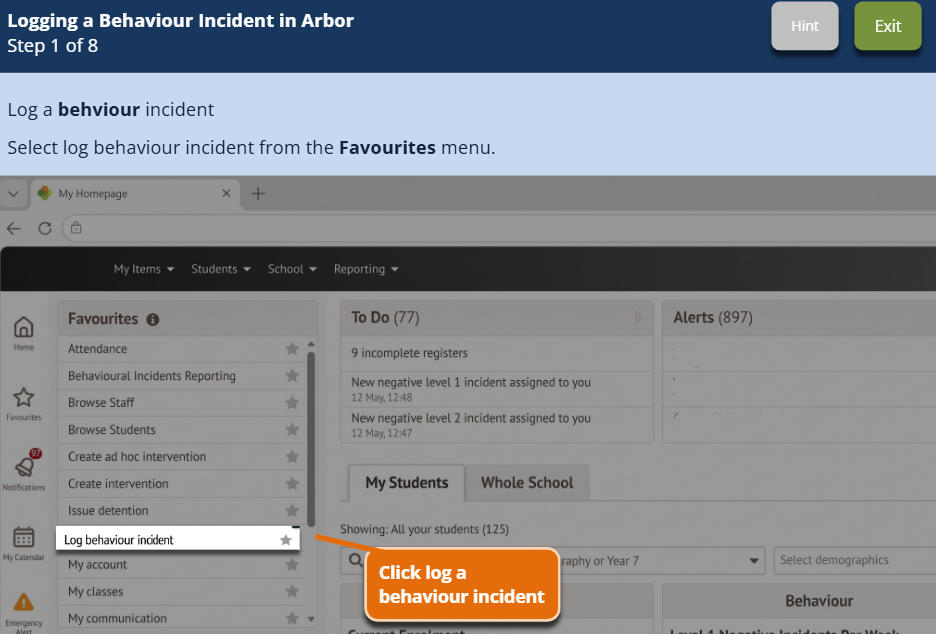
I designed an interactive software simulation in Articulate Storyline 360 that allows school staff to practise recording a behaviour incident within Arbor without affecting live student records. The simulation uses guided practice, contextual hints, corrective feedback, and realistic workplace scenarios to help learners navigate the behaviour workflow confidently and accurately. Key stages include selecting the correct lesson and student, writing a professional incident summary, assigning an appropriate sanction, and notifying guardians.
Project Walkthrough
Watch a short walkthrough of the simulation and learn more about the instructional design decisions behind the project, including the use of guided practice, corrective feedback, contextual hints, and scenario-based learning to support accurate behaviour logging in Arbor.
Key Design Decisions
Guided Practice
Learners progress through the workflow one step at a time, completing each action before moving forward. This approach allows users to practise the behaviour logging process in a safe environment while reducing cognitive load. By focusing on a single task at each stage, learners can build confidence before completing the full workflow independently.
Contextual Hints
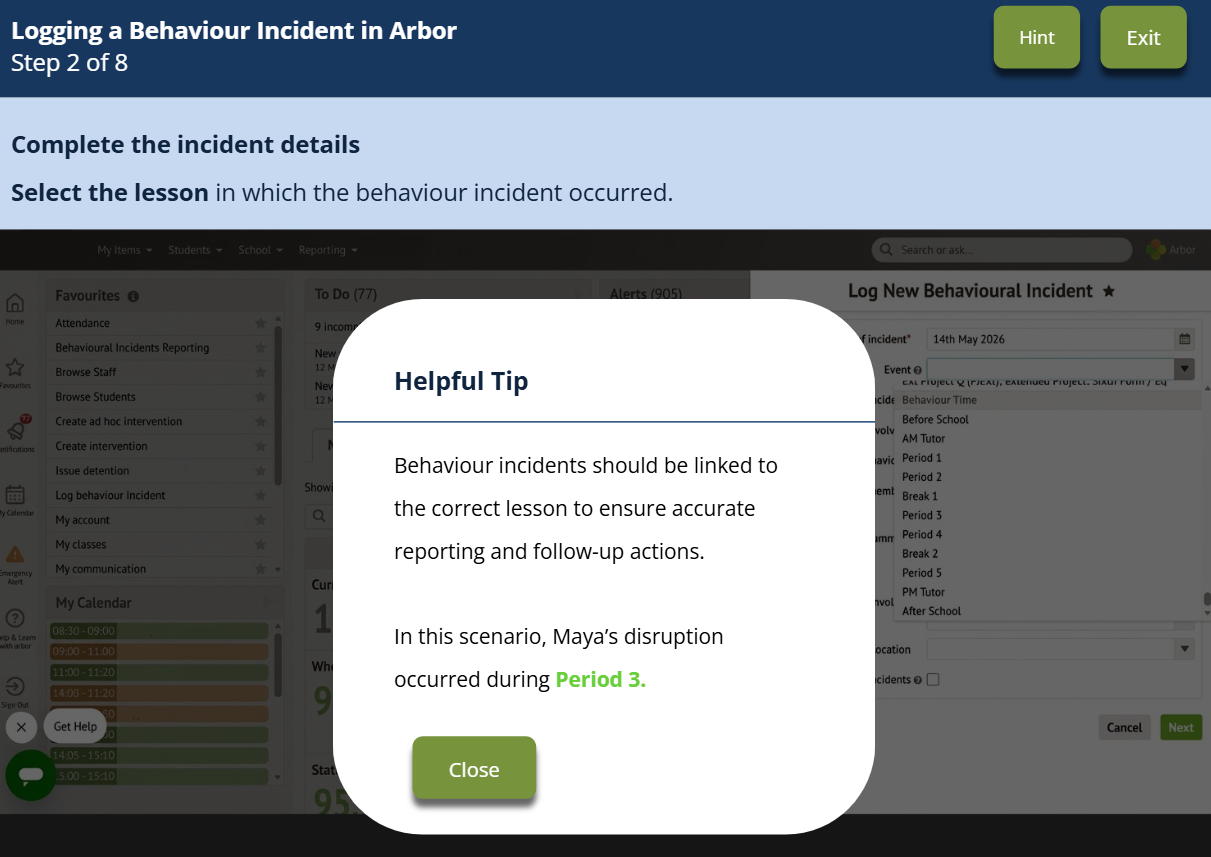
Contextual hints provide support when learners need it without immediately revealing the answer. Rather than simply telling users what to click, the hints explain why each action matters and reinforce the purpose behind the process. This encourages understanding rather than memorisation.
Corrective Feedback
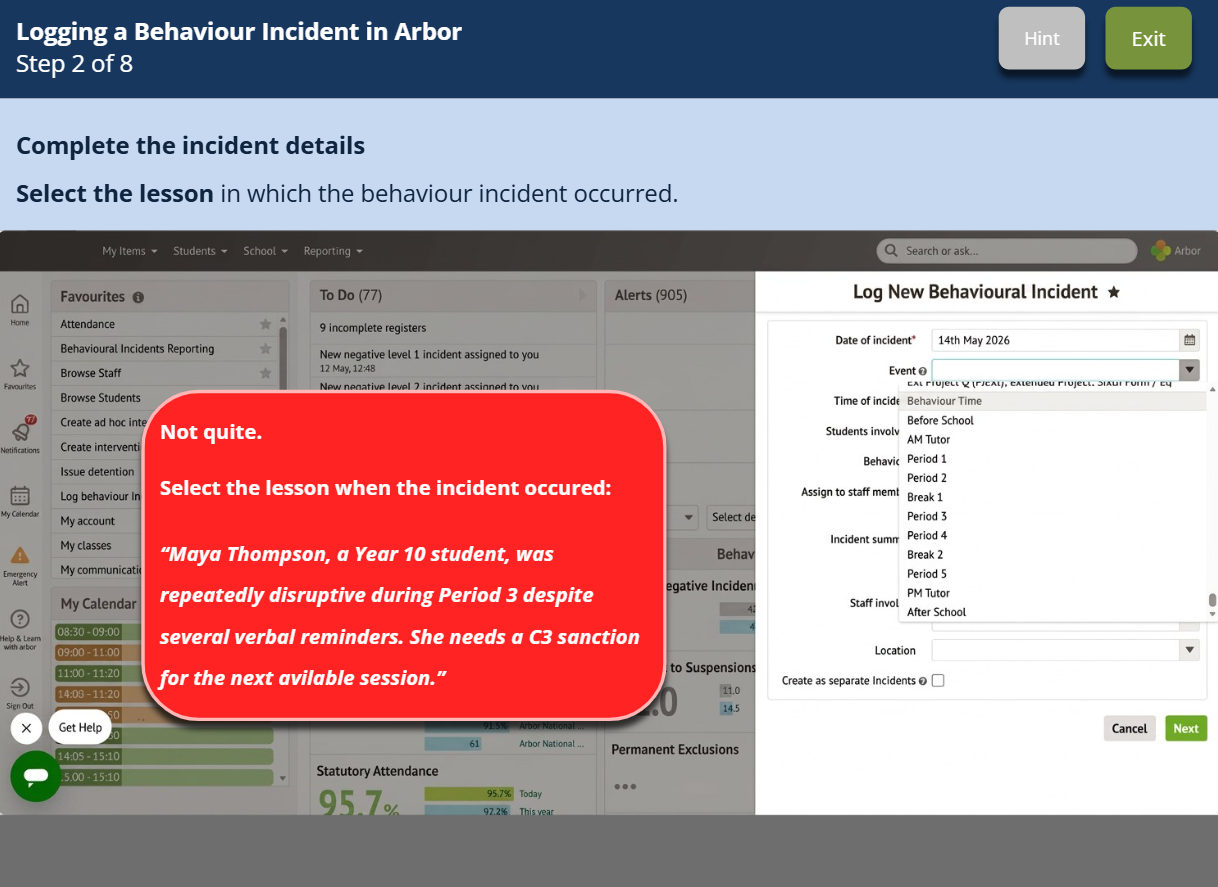
When learners make an incorrect selection, they receive immediate feedback and an opportunity to try again. The feedback references the scenario and explains why the choice was incorrect, helping learners reflect on their decision before progressing.
Professional Incident Reporting
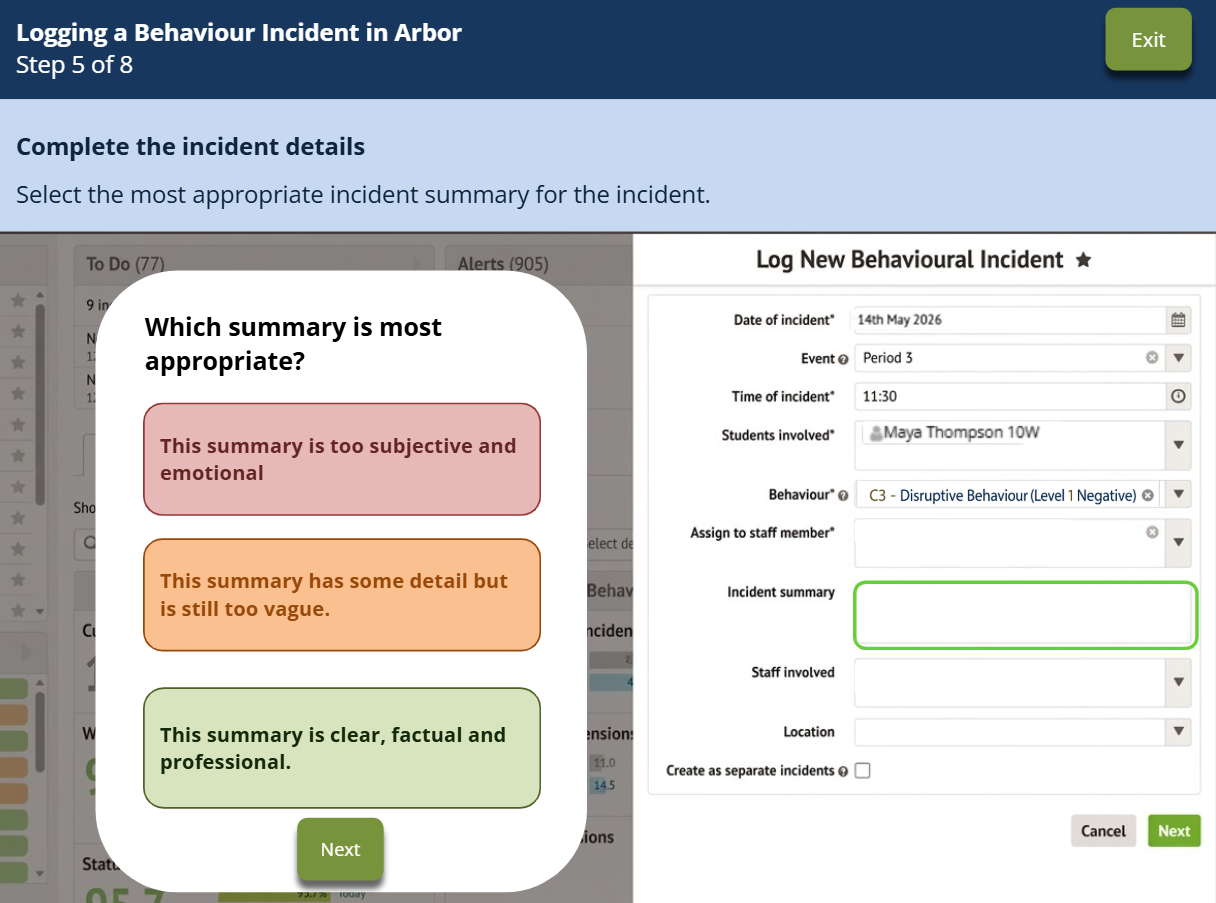
The incident summary activity was designed to model effective professional reporting. Instead of asking learners to write a summary from scratch, I presented examples of subjective, vague, and objective reporting. This allows learners to compare responses and identify language that is factual, concise, and professionally appropriate
Reflection
This project strengthened my ability to design software simulations that support procedural learning through guided practice and feedback. One of the key challenges was balancing learner support with realism, ensuring users received enough scaffolding to build confidence while still reflecting the real Arbor workflow. Through this project, I developed my skills in simulation design, feedback strategies, and performance-focused learning experiences.